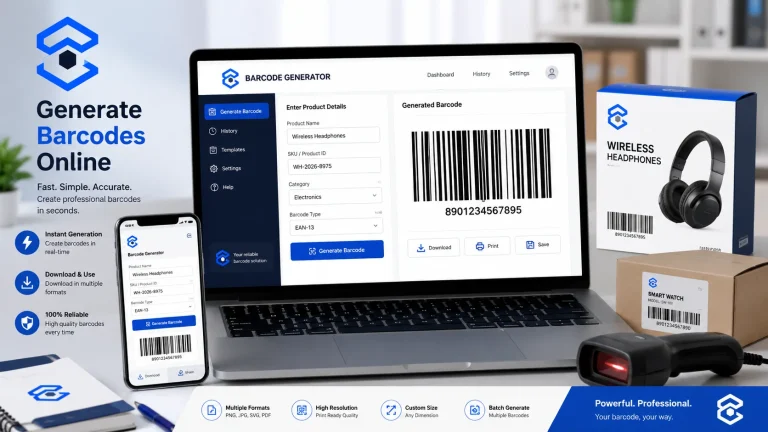
Bulk Barcode Generator: Create Multiple Barcodes Fast
Introduction
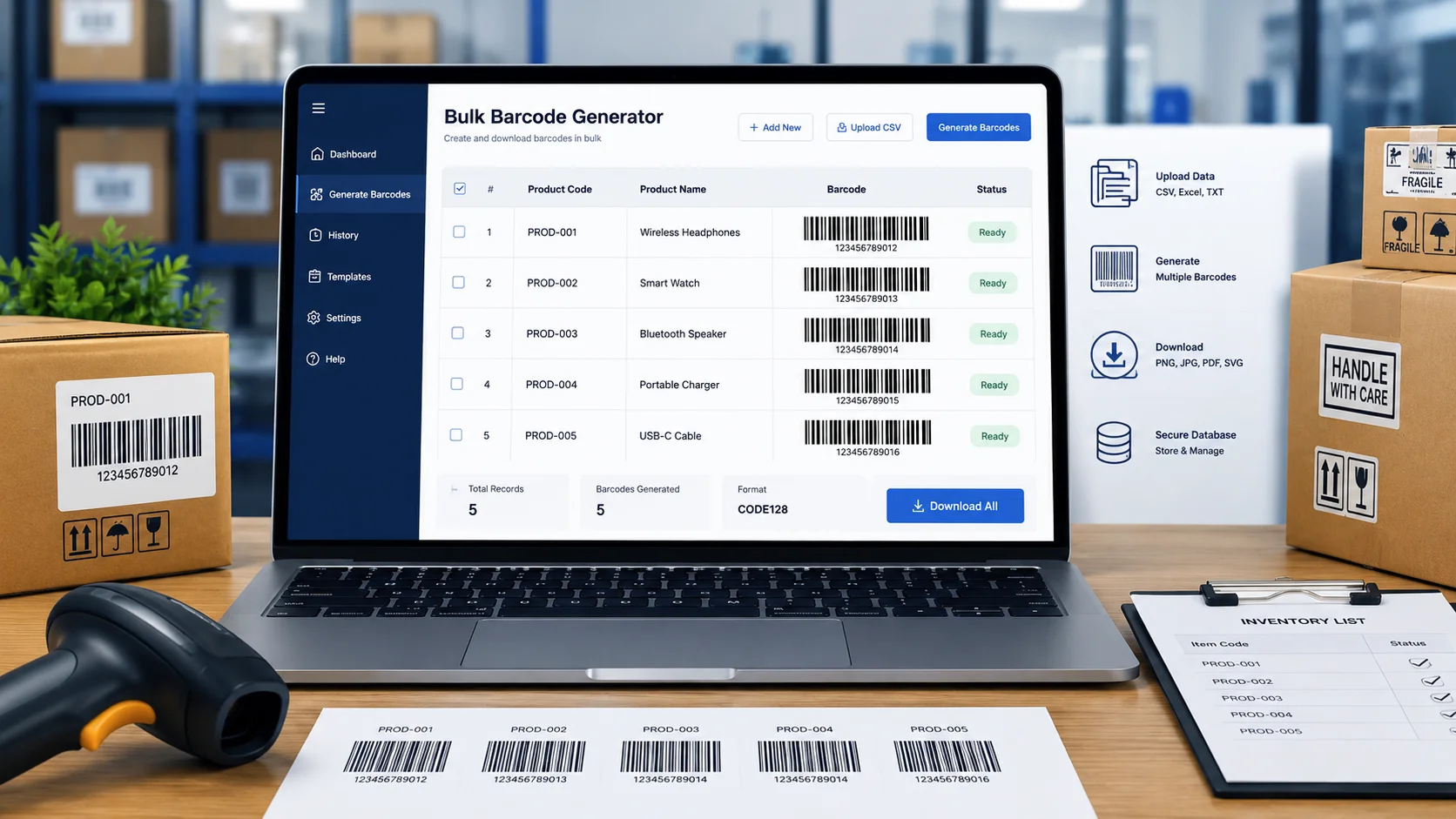
A bulk barcode generator lets you create many unique barcodes from a list of product IDs, SKUs, numbers, or other values instead of generating each barcode one at a time. It is especially useful for inventory, retail products, warehouses, labels, events, and business records.
The basic process is simple: prepare your barcode data, choose a suitable barcode format, generate the codes in bulk, and download or print them for your workflow.
Table of Contents
What Is a Bulk Barcode Generator?
A bulk barcode generator is a tool designed to create multiple barcodes from a list of values in one process.
Instead of entering a product number, generating a barcode, saving it, and repeating the process hundreds of times, you can prepare a list of values and generate the required barcode set together.
For example, a small online store might have:
| Product | SKU | Barcode Data |
|---|---|---|
| Blue T-Shirt | TS-BLU-001 | TS-BLU-001 |
| Black T-Shirt | TS-BLK-002 | TS-BLK-002 |
| White T-Shirt | TS-WHT-003 | TS-WHT-003 |
| Red T-Shirt | TS-RED-004 | TS-RED-004 |
Each value can be converted into its own barcode.
This makes batch barcode creation much more practical when dealing with dozens, hundreds, or potentially thousands of records.
How Does Bulk Barcode Generation Work?
Although the exact interface differs between tools, the workflow generally follows four steps.
1. Prepare Your Data
Create an empty list of values to be encoded.
These could be:
- Product numbers
- SKUs
- Inventory IDs
- Serial numbers
- Order numbers
- Asset IDs
- Membership numbers
- Event tickets
- Internal reference codes
Do not include any unnecessary spaces, duplicate values, or input wrong characters Yes.
2. Choose a Barcode Type
Different barcode standards are designed for different purposes.
Common options include:
- Code 128 — useful for general-purpose alphanumeric data
- Code 39 — commonly used for industrial and identification applications
- EAN-13 — widely associated with retail products
- UPC-A — commonly used for retail products in the United States
- ITF-14 — often used for cartons and logistics
- QR Code — useful when you need to encode URLs or larger amounts of information
The correct choice depends on where the barcode will be scanned and what system needs to recognize it.
3. Generate the Barcodes
Once your data and barcode format are ready, the generator creates an individual barcode for each entry.
For example:
SKU-1001 → Barcode 1
SKU-1002 → Barcode 2
SKU-1003 → Barcode 3
SKU-1004 → Barcode 4
The result is a complete batch rather than a collection of manually created individual files.
4. Download Label or Print
- Product labels
- Inventory sheets
- Warehouse bins
- Asset tags
- Packaging
- Event materials
- Internal business records
After generation, you can use the barcode images for the following:
Always test a small sample before printing a large batch.
When Should You Use a Bulk Barcode Generator?
Batch barcode creation is particularly useful when the number of barcodes starts becoming difficult to manage manually.
Small Businesses
A retailer adding 50 new products can create the required barcode images in a single workflow rather than creating them individually.
Warehouses
Warehouses may need barcodes for shelves, storage locations, pallets, bins, or internal inventory references.
E-Commerce Businesses
Online sellers often use SKU-based identification to keep product variants organized.
For example, different sizes and colors can have separate identifiers:
- SHIRT-BLU-S
- SHIRT-BLU-M
- SHIRT-BLU-L
- SHIRT-BLK-S
- SHIRT-BLK-M
Each identifier can have its own barcode.
Events
Event organizers can generate unique codes for tickets, registration numbers, or attendee records.
Asset Management
Businesses can assign unique identifiers to computers, equipment, furniture, tools, and other assets.
How to Create Multiple Barcodes
Here is a practical workflow you can follow.
Step 1: Make a Barcode List
Create a simple spreadsheet containing one unique value per row.
For example:
INV-0001
INV-0002
INV-0003
INV-0004
INV-0005
Step 2: Check for Duplicate Values
A barcode should normally represent the identifier you actually intend to track.
If two products accidentally receive the same internal identifier, scanning cannot distinguish them.
Before generating your batch, check for duplicates.
Step 3: Select the Barcode Standard
Choose the format that matches your scanning system.
For general alphanumeric business identifiers, Code 128 can be a practical option. Retail products, however, may require established standards such as EAN or UPC rather than simply creating arbitrary numbers.
Step 4: Generate the Batch
Upload or enter your prepared values into the generator and create the barcode set.
Step 5: Test Before Printing
Scan several generated codes using the actual scanner or scanning application you expect to use.
Check:
- Does every code scan?
- Does it return the correct value?
- Is the printed size large enough?
- Is the barcode clear?
- Are labels aligned correctly?
This small test can prevent an expensive printing mistake.
Which Barcode Format Should You Use?
Choosing the barcode format is one of the most important parts of the process.
| Barcode Type | Common Use | Data |
|---|---|---|
| Code 128 | Inventory and logistics | Numbers + letters |
| Code 39 | Industrial identification | Numbers + selected characters |
| EAN-13 | Retail products | Numeric |
| UPC-A | Retail products | Numeric |
| ITF-14 | Shipping cartons | Numeric |
| QR Code | Links and larger data | Text/data |
Don’t select a format simply because it looks familiar.
For example, a business creating internal inventory identifiers may have completely different requirements from a manufacturer preparing products for retail distribution.
Bulk Barcode Generator Example
Imagine a warehouse has 500 storage bins.
Instead of labeling them manually, the business creates identifiers such as the following:
BIN-A001
BIN-A002
BIN-A003
...
BIN-A500
A batch bulk barcode generator workflow can turn those 500 identifiers into scannable codes.
An employee can then scan a bin and retrieve the corresponding location from the warehouse management system.
A Useful Accuracy Check
Here’s a simple technique that is often overlooked:
Keep the original identifier list alongside the generated barcode files.
For example:
BIN-A001 → bin-a001.png
BIN-A002 → bin-a002.png
BIN-A003 → bin-a003.png
This creates a clear relationship between the human-readable identifier and its barcode image.
If a label is damaged later, you can identify exactly which barcode needs to be regenerated.
Common Bulk Barcode Problems
Generating hundreds of barcodes is easy only when the underlying data is clean.
Duplicate Identifiers
If two records contain the same value, they may produce identical barcodes.
Solution: Remove duplicates before generation.
Invalid Barcode Data
Some barcode standards accept specific character sets or fixed-length numbers.
Solution: Check the requirements of your selected barcode format before generating the batch.
Barcodes That Are Too Small
A barcode may look fine on your monitor but become difficult for a scanner to read after printing.
Solution: Test the actual printed size.
Low-Quality Images
Scaling a small raster barcode significantly can make the edges blurry.
Solution: Generate at an appropriate resolution and avoid unnecessary resizing.
Poor Contrast
Barcode scanners need clear contrast between the bars and background.
Solution: Use a clean, high-contrast design and avoid placing barcodes over busy backgrounds.
Missing Quiet Zone
The blank space surrounding a barcode helps scanners identify where the barcode begins and ends.
Solution: Leave sufficient white space around the barcode rather than cropping it tightly.
Tips for Better Batch Barcode Generation
A few simple practices can make your barcode workflow considerably more reliable.
Keep Identifiers Unique
Create a consistent naming system before generating anything.
For example:
PROD-00001
PROD-00002
PROD-00003
It is easier to manage than a random collection of identifiers.
Don’t Confuse Barcodes With Product Numbers
A bulk barcode generator is a machine-readable representation of data. It does not automatically create a globally recognized product identity.
If you’re preparing products for retail distribution, check the requirements of the retailer, marketplace, or relevant barcode standards organization.
Test Real-World Scanning Conditions
Don’t test only on a computer screen.
Print a sample label and scan it at the distance, angle, and lighting conditions used in your actual workflow.
Keep a Master Dataset
Maintain a master spreadsheet or database containing:
- Identifier
- Product name
- Barcode type
- Creation date
- Related SKU
- Status
This makes future updates much easier.
Generate in Logical Batches
Instead of mixing unrelated records, consider separate batches for:
- New inventory
- Warehouse locations
- Products
- Assets
- Events
This can make file management and quality control easier.
Bulk Barcode Generation vs. Individual Barcode Creation
The difference becomes significant as your dataset grows.
| Task | Individual Generation | Bulk Generation |
|---|---|---|
| 1–5 barcodes | Simple | Usually unnecessary |
| 10–50 barcodes | Time-consuming | More efficient |
| 100+ barcodes | Very slow manually | Much more practical |
| Duplicate checking | Manual | Can be handled before generation |
| File organization | More work | Easier with structured naming |
If you only need one barcode, a bulk workflow may be unnecessary.
But when you have a large list, generating each code individually introduces more opportunities for mistakes and wasted time.
Related CalcuHive Tools
If you’re working with different types of digital data, you may also find other CalcuHive tools useful.
Link the phrase “online barcode generator” to your relevant barcode generator page if available.
Link “QR code generator” to your QR code generator page when discussing QR codes as an alternative for larger amounts of data.
Link “PNG to WEBP converter” to your PNG-to-WEBP tool when discussing image formats and optimizing generated barcode images for web use.
These links can help readers move from the informational article directly to a relevant tool.
Frequently Asked Questions
What is a bulk barcode generator?
A bulk barcode generator creates multiple barcode images from a list of values in one workflow. It is useful when you need to generate barcodes for products, inventory, assets, labels, or other records.
Can I generate hundreds of barcodes at once?
Yes, depending on the tool and its supported input method. Large datasets are one of the main reasons businesses use batch barcode generation instead of creating codes individually.
What information can be turned into a barcode?
It depends on the barcode standard. Many formats can encode numbers, letters, or combinations of characters, while QR codes can store considerably more information such as URLs and text.
What is the best barcode type for inventory?
Code 128 is a common choice for internal inventory and logistics applications because it can encode both numbers and letters efficiently. However, the best format depends on your scanner and inventory system.
Can I print bulk-generated barcodes?
Yes. Generated barcode images can generally be placed into labels, documents, packaging, or other print layouts. Always test a sample before printing a large quantity.
Are bulk-generated barcodes automatically official product barcodes?
No. Generating a scannable barcode does not necessarily mean the number is registered as an official retail product identifier. Retail and marketplace requirements may require specific standards and registered numbers.