
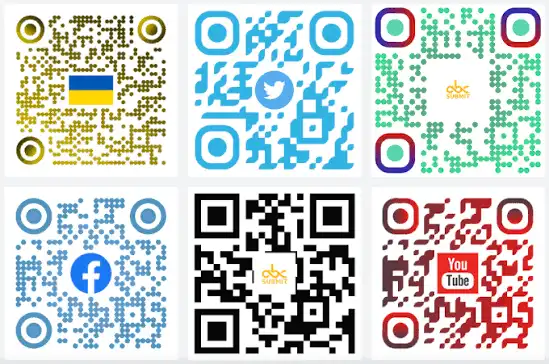
QR Code free Generator Create a Free QR Code Online in Seconds
You need a QR code for a menu, a WiFi password, a business card, or a link to your website. It should take thirty seconds. Instead, half the tools you find online push you into creating an account, picking a “plan,” or watching your code lock behind a paywall the moment you try to download it.
A QR code free generator shouldn’t feel like signing up for software. For most people — small businesses, event organizers, students, anyone sharing a link offline — a QR code is a one-time, practical need, not a subscription. That’s exactly the gap CalcuHive’s free QR Code Generator fills.
What Is a QR Code free Generator Actually?
A QR (Quick Response) code is a small square pattern that stores data — usually a URL, but also plain text, WiFi credentials, or contact details — in a format any smartphone camera can scan instantly. A QR Code free Generator is simply the tool that converts your input (a link, some text, a WiFi password) into that scannable image.
The technology has been around for years, but it exploded in everyday use during and after 2020, when restaurants swapped printed menus for scannable ones, and it never really went back. Now QR codes show up everywhere: product packaging, event tickets, posters, business cards, retail shelf tags, and payment links.

Static vs Dynamic QR Codes Which Do You Actually Need?
Most of the big-name QR tools spend their entire homepage trying to upsell you from static to dynamic codes. Here’s the honest difference:
- Static QR codes have the destination baked directly into the code. They’re free, they never expire, and they work forever — but you can’t change where they point once they’re printed.
- Dynamic QR codes redirect through a short link the provider controls, so you can edit the destination later and see scan analytics. This is genuinely useful for large marketing campaigns tracking thousands of scans — but it also means the code stops working if you ever stop paying that provider.
For the vast majority of everyday use — a WiFi password on your fridge, a link on a flyer, a menu QR code taped to a table — a static code is not just enough, it’s actually the safer choice. It won’t break years later because a subscription lapsed.
How to Generate a QR Code Online for Free
- Open CalcuHive’s QR Code Generator.
- Choose your content type — a URL, plain text, or WiFi credentials.
- Enter your details. For a URL, paste the full link including “https://”. For WiFi, enter the network name and password.
- Generate the code. It appears instantly — no waiting, no processing queue.
- Download as PNG. The file is ready to drop into a poster, print on packaging, or share directly.
No account, no watermark, no code that mysteriously stops working after a free trial ends.

What to Check Before You Use Any QR Code Generator
Not every free tool is actually free once you get to the download step. A few things worth checking before you commit:
- Does the download actually work without signing up? Some tools generate a preview but gate the real download behind an account.
- Is there a watermark or logo baked into the code? This is common on “free” tiers and looks unprofessional on printed material.
- Is it a static code, or does it silently create a dynamic one that could expire? Read the fine print — some “free forever” dynamic codes deactivate after a set number of scans or a trial period.
- How much data can it hold? Long URLs or lots of WiFi/contact info can make a QR code visually denser and harder to scan from a distance — shortening your URL first can help if you’re printing at a small size.
Common Uses for a QR Code Generator
- Restaurant and cafe menus — replace printed menus with a single scannable code on the table.
- WiFi sharing — guests scan instead of typing a long password.
- Business cards and flyers — link directly to a website, portfolio, or contact page.
- Event check-ins and tickets — a fast way to verify attendance without manual lookups.
- Product packaging — link to instructions, warranty registration, or more product info without cluttering the label.
- Retail and inventory tags — quick lookups for pricing or stock, especially when paired with a barcode system.
QR Codes vs Barcodes: What’s the Difference?
They’re often confused, but they solve different problems. A barcode is a one-dimensional strip that typically stores a single reference number — used heavily in retail for product lookups. A QR Code free Generator is two-dimensional and can hold far more data — a full URL, a block of text, or structured contact details — and it’s readable from any angle, not just a straight scan line. If you’re managing product inventory specifically, CalcuHive’s Barcode Generator is the better fit; for sharing links or information, a QR code wins.

Tips for Printing QR Code free Generator That Actually Scan
A QR code that looks fine on-screen can fail badly in print if you’re not careful:
- Keep enough contrast. Black on white scans best. Light colors or busy backgrounds behind the code cause scan failures.
- Don’t shrink it too much. A code smaller than about 2×2 cm on a printed flyer becomes hard for phone cameras to lock onto, especially from a distance.
- Leave a quiet border. A small margin of blank space around the code (called the “quiet zone”) helps scanners detect its edges.
- Test before printing hundreds of copies. Scan the code with two or three different phones first — cheap thermal printers in particular can blur fine detail.
Frequently Asked Questions
Is this QR Code free Generator really free with no signup?
Yes. CalcuHive’s QR Code Generator creates and downloads codes instantly with no account required and no watermark.
Do QR codes expire?
Static codes, like the ones generated here, never expire — the data is permanently embedded in the pattern. Dynamic codes from other providers can expire if the underlying service or subscription is discontinued.
Can I put a WiFi password in a QR code?
Yes. WiFi QR codes let guests join your network by scanning instead of typing a password, and it works with most modern phone cameras out of the box.
What’s the maximum amount of data a QR code can hold?
QR codes can technically store thousands of characters, but shorter data (like a shortened URL) produces a simpler, more reliably scannable code — especially useful if you’re printing small.
Do I need a different QR code generator for business use vs. personal use?
For one-off needs — sharing a link, a WiFi password, an event flyer — a free static generator like this one covers it completely. Only large-scale campaigns tracking thousands of scans over time typically need a paid, analytics-driven tool.
Need a QR code right now? Try the free QR Code Generator on CalcuHive — no signup, no watermark, instant download.